 Insightube
How to summarize long YouTube podcasts and interviews
Long-form podcasts are full of good ideas, but a 2-hour episode is a big commitment. A speaker-by-speaker summary tells you what each guest thinks, and which 10 minutes are worth your time.
Why ordinary summaries fail on podcasts
Conversations wander. A guest makes a point, the host pushes back, they come back to it an hour later. A summary that blends everything into one voice loses the most interesting part: who thinks what, and why they disagree.
What to look for instead
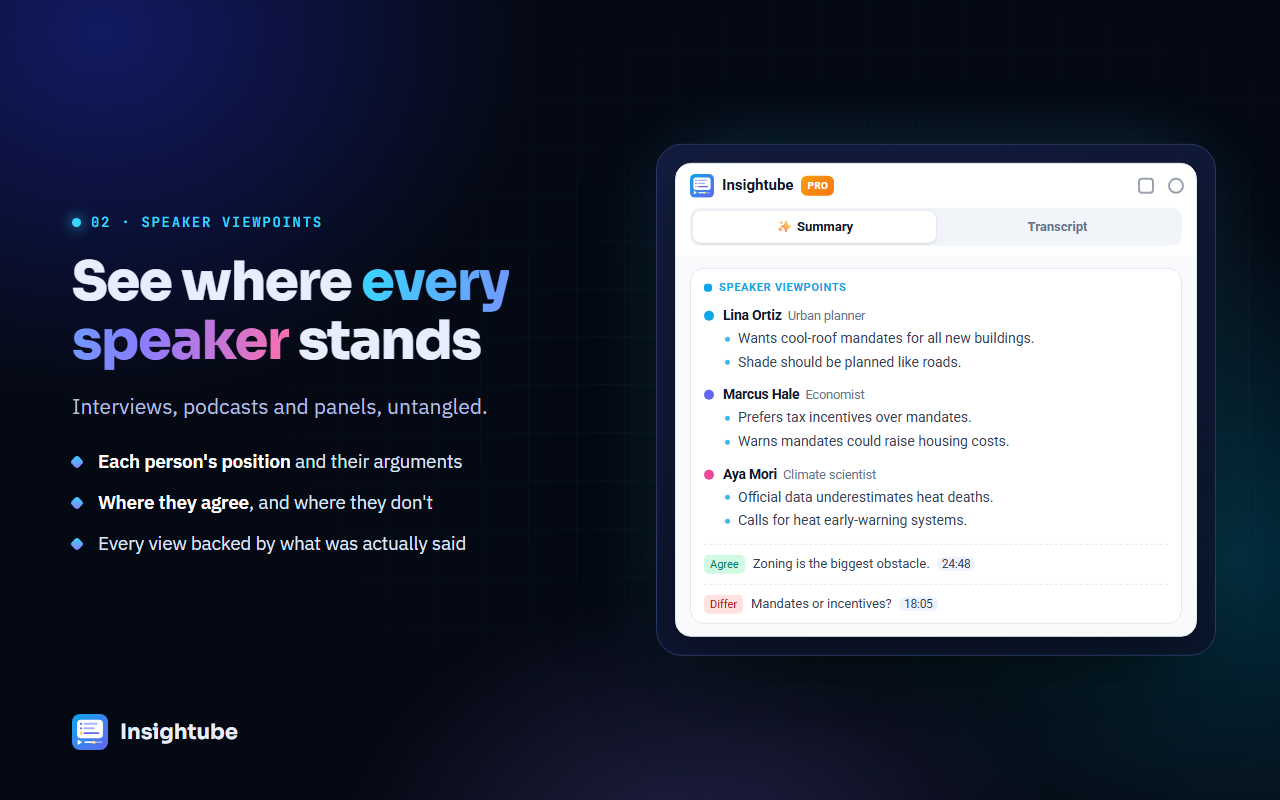
- Viewpoints by speaker: each person’s positions, with their reasons and the stories or evidence they use.
- Where they agree and differ: the real debate, laid out side by side.
- Timestamps on every point, so you can listen to the exact exchange.
- Key moments: the highlights worth hearing in full.
How to do it
- Install Insightube and open the episode on YouTube.
- Click Summary & insights. Insightube works out who is speaking from introductions and names used in the conversation, and uses real names when it can.
- Read the Summary and Viewpoints by speaker first (about 3 minutes).
- Click the timestamps of the 2 or 3 points you care about, and listen to those parts in full.
- Come back any time: the summary is saved in History, searchable by guest, channel or idea.
Videos over 30 minutes need Insightube Pro. The free plan covers shorter clips and highlights, 3 a week.
Ways people use it
- Deciding what to listen to: scan this week’s episodes in a few minutes each, then listen fully to the best one.
- Remembering what you heard: keep a searchable record of every episode you’ve finished.
- Research: compare what different experts said about the same topic across interviews.
- Foreign-language podcasts: read the summary in your own language, then listen with a translated transcript.
Common questions
Does it know who is speaking?
YouTube transcripts don’t label speakers, so the AI works it out from context: introductions, names, questions and answers. When it isn’t clear, it says so rather than guessing.
How long can the video be?
With Pro, multi-hour episodes work. The video needs captions, which almost all podcast uploads have.