 Insightube
How to translate YouTube subtitles into your language
Found a great video in a language you don’t read well? There are three ways to follow it in yours, depending on whether you want to watch, read or just get the gist.
Way 1: YouTube’s auto-translate captions
Built into YouTube, free, and good for watching along.
- Start the video and turn on captions with the CC button.
- Click the ⚙ Settings gear, then Subtitles/CC.
- Choose Auto-translate, then your language.
Limits: the captions flash by at the speed of speech, you can’t scroll back through them, and only one language shows at a time.
Way 2: a translated transcript you can read
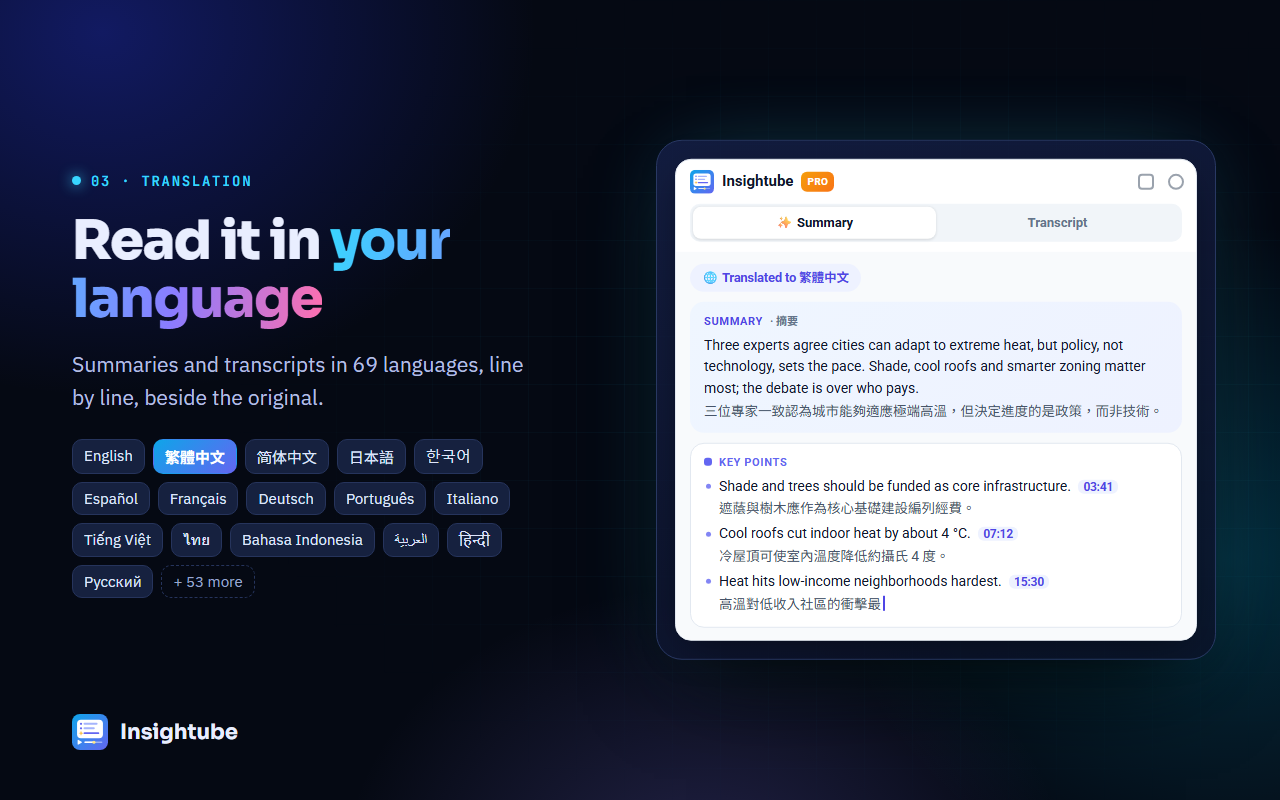
Reading is often easier than chasing captions. With Insightube, the whole transcript appears beside the video, translated:
- Open the video and click the Transcript tab in the Insightube panel.
- Choose your language in Translate to.
- Turn on Bilingual to see each original line with its translation underneath, which is ideal when you understand some of the original.
- Click any line to jump to that moment, or search for a word in either language.
Set a Default translation in Settings and every video opens already translated. Transcript translation is part of Insightube Pro.
Way 3: a summary written in your language
If you mainly want to understand what the video says, skip the translation step entirely. In Insightube’s Settings, set Summary language to your language. When you click Summary & insights, the AI reads the original transcript and writes the summary, key points and speaker viewpoints directly in your language, in any of 69 languages.
This works on the free plan (3 summaries a week). Translating a summary you already made into another language is part of Pro.
Which should you use?
- Watching casually: YouTube’s auto-translate.
- Studying or following closely: a bilingual transcript.
- Just need to know what it says: a summary in your language.
Common questions
How accurate is the translation?
Machine translation is good enough to follow most talks and interviews, but jokes, slang and specialist terms can come out oddly. Bilingual view helps: you can check the original line.
Why can’t some videos be translated?
Translation needs captions. A few videos have captions that YouTube won’t translate; Insightube then shows the original transcript and tells you.
Can I use this to learn a language?
Yes, see learning a language with bilingual YouTube subtitles.